Localazy Tips
Use filters to show untranslated keys
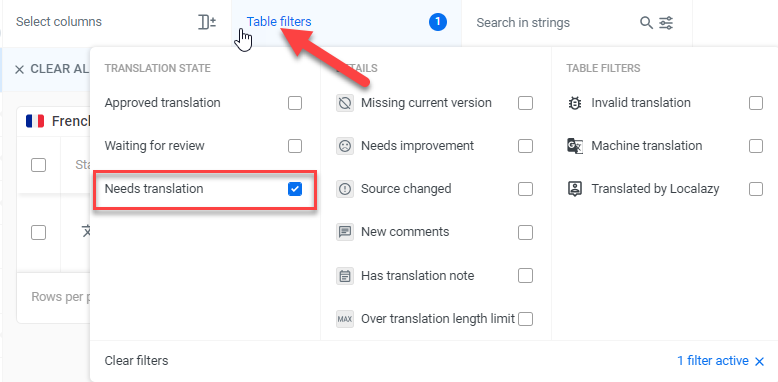
You can filter the list of keys to show only untranslated keys. Click the Table filters button and select Needs translation.
Use the search box
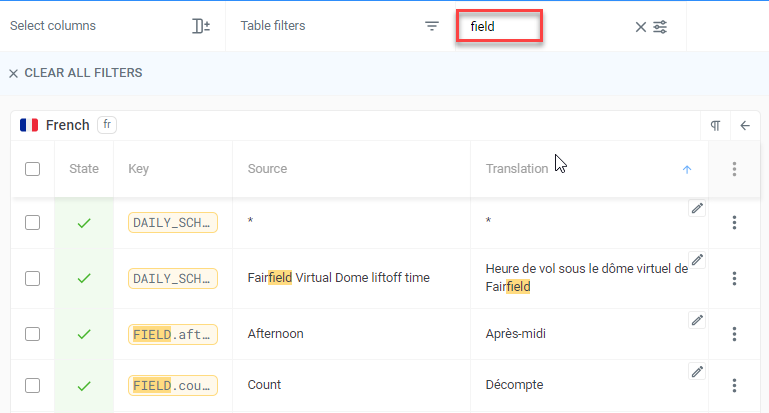
The Localazy search box lets you find text in translation keys, source content or translated content.
In the example below, the search term ‘field’ lets you quickly find all keys containing “FIELD”.
Set search options for more control
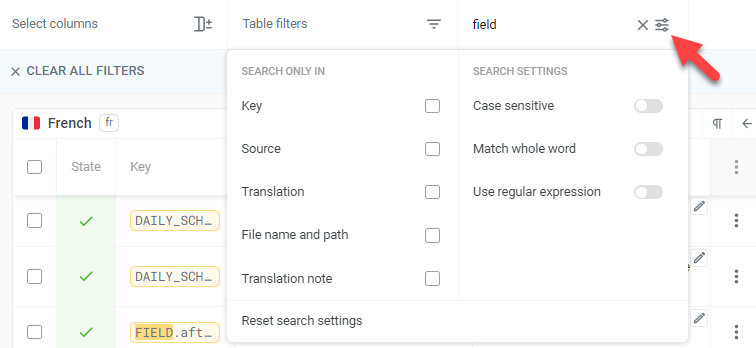
For more control, you can set options to control the search. Click the settings button to the right of the search box.
Copy complex content
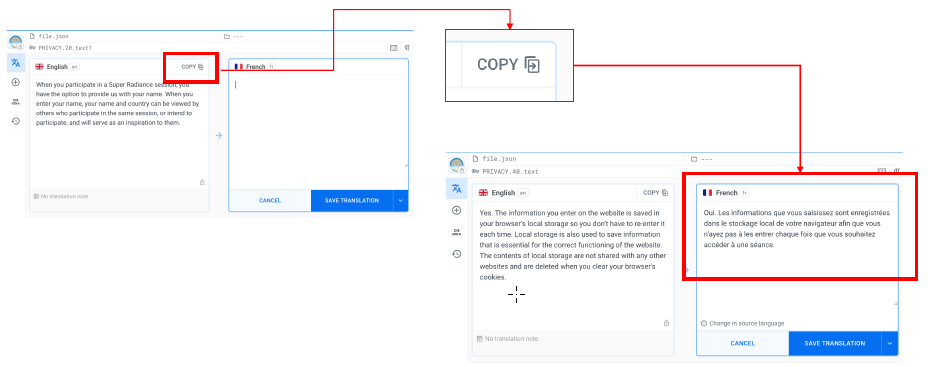
When dealing with complex English content with HTML markup tags and placeholders, you should copy the content to the target box before translating. This reduces the risk of making errors with the markup tags and placeholders.
This is how to copy the source content:
Pay attention to notifications
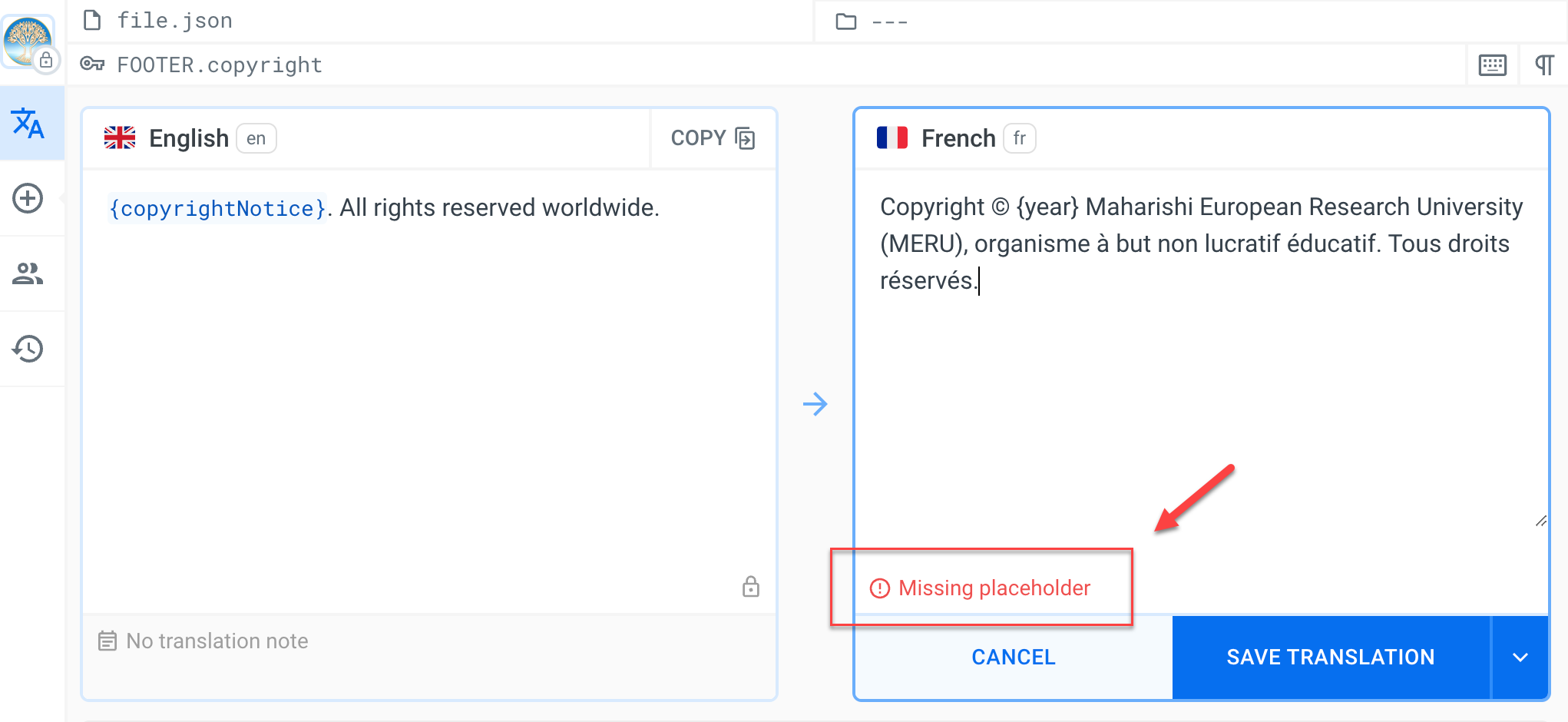
Be attentive to notifications in the workspace at the bottom of the target language box.
Resolve problems on save
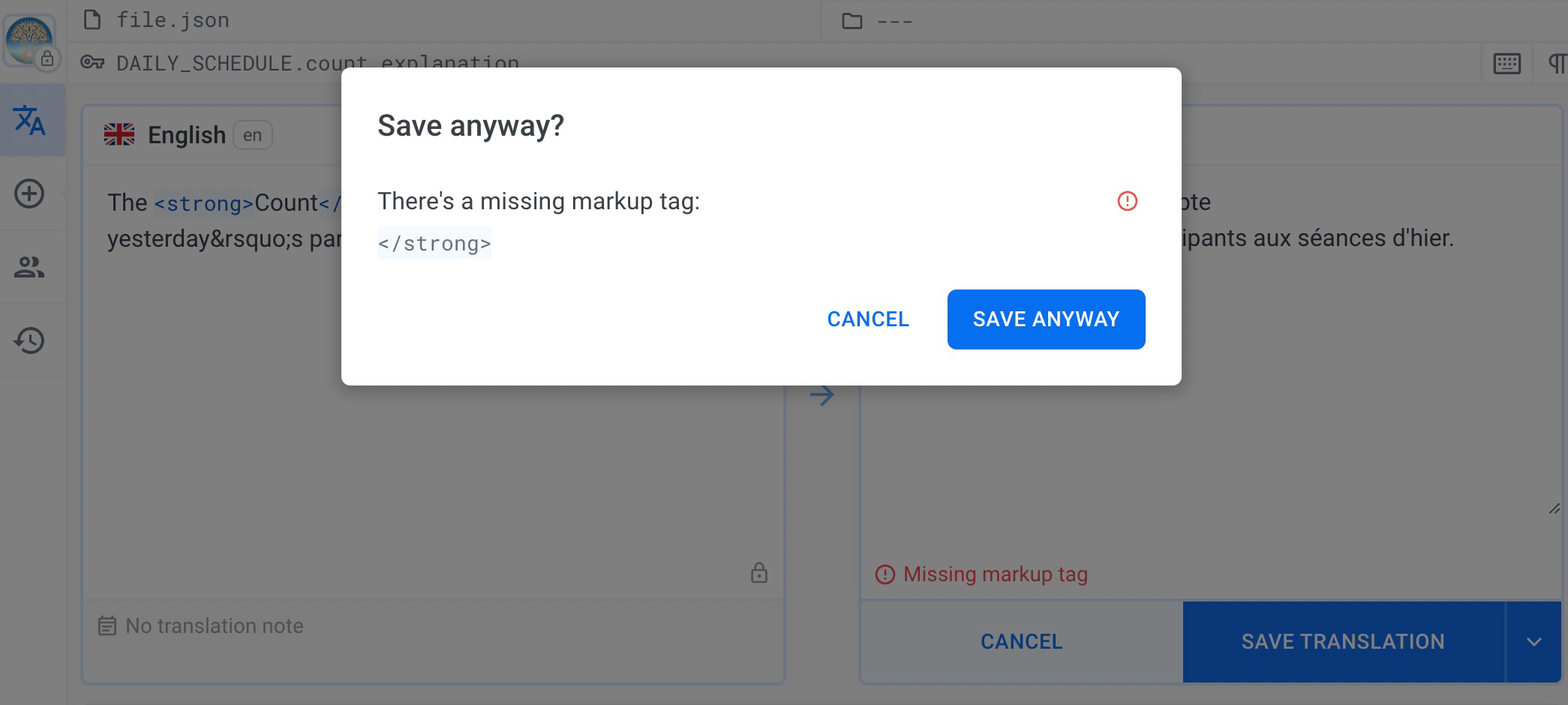
When you save a translation, you will be notified in a popup box if there are potential problems.
When this occurs, click Cancel, then compare the source and target fields to make sure your translation is correct and you have not missed anything.
In the example below, a </strong> HTML tag is present in the source but is missing in the target.