Getting Started
Login
After you have registered with Localazy and your request to join the Super Radiance project has been accepted, you will receive an email from Localazy confirming that you have been added to the project as a translator.
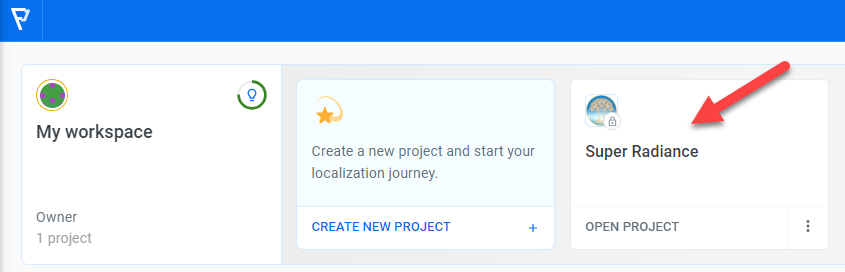
Login to Localazy at https://localazy.com/login. After you login you will see a list of projects. Don’t create a new project. Click on the Super Radiance project.
Select your language
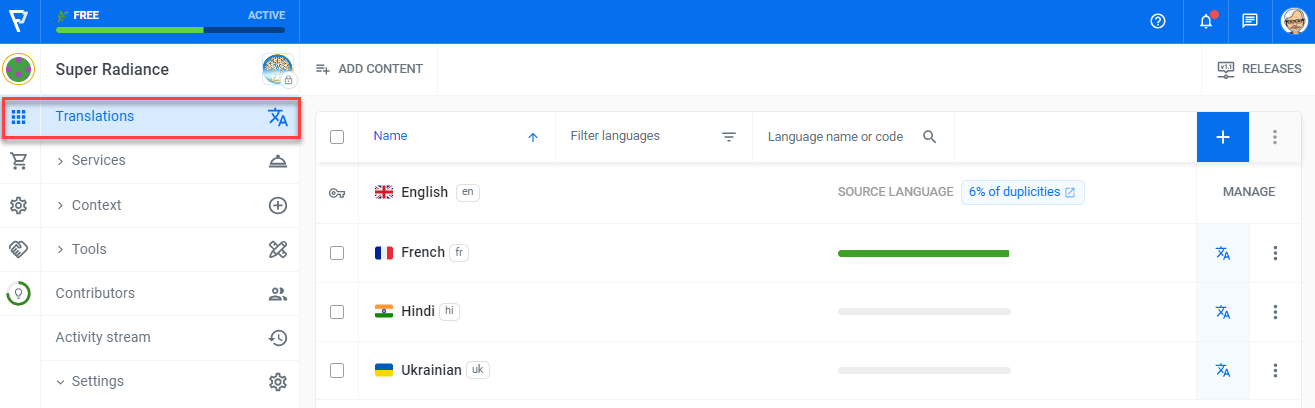
You should then see a list of languages. If you don’t see the list, then click the Translations menu item on the left of the screen. Then click the language you are responsible for translating.
Understanding the translation list
The translation list shows all the words, phrases and sentences that need to be translated into your language. Here is an example.
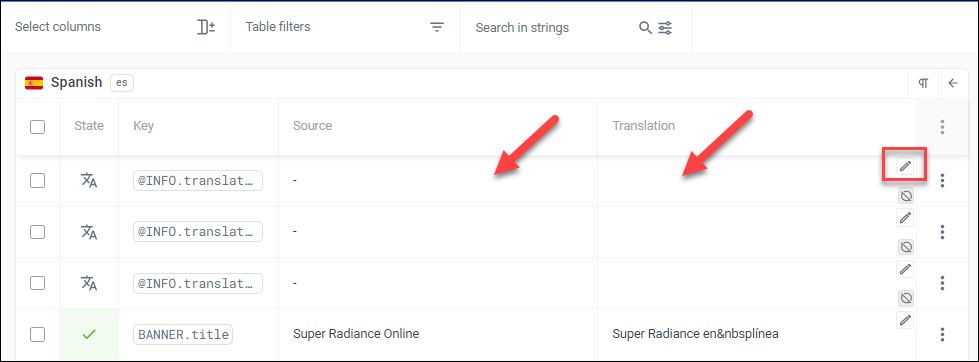
The State column shows whether a item needs to be translated. In the example above, the @INFO.translator keys need translating, BANNER.title has been translated.
The Key is the unique identifier for the word, phrase or sentence to be translated. Hover your mouse over the key to see the full name of longer keys.
The Source column shows the English word, phrase or sentence to be translated.
The Translation column shows the current translation for your language.
Your first translation
There two ways to edit a translation.
- Click either the Source or Translation columns for the key you want to translate. The opens a new translation page with additional information.
- Click the small Pencil icon at the right of the item. This lets you edit the translation directly in the list.
Click on the Source column for the BANNER.title key to open the open translation page.
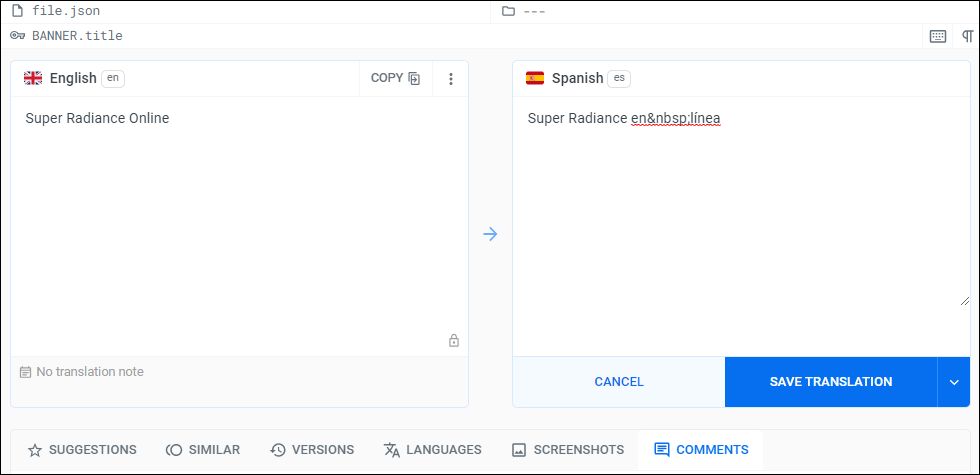
Enter your translation in the box on the right, then click Save Translation.
TIP: The buttons at the bottom of the page let you view additional information about the translation (SUGGESTIONS, SIMILAR & VERSIONS), see translations into other languages (LANGUAGES), and ask questions or make comments about the translation (COMMENTS).
Viewing your translations
Translations you have saved in Localazy are automatically picked by the system at 45 minutes after every hour (UTC) and are usually available for viewing on the SRO Translation website within 5 minutes of being picked up.
Next steps
-
Enter information about yourself in English in the
@INFO.translatorkeys so that we have your contact information. This information is not displayed on the website. -
Familiarize yourself with the Translation Reference page. It has important information that you need to know.
-
Start translating. The Translation Reference page has recommendations about the best sequence for translating the site.
-
Test your translations as described on the Testing Translations page.
-
Let us know when you have completed your translations and they are ready to be deployed to the live website.
If you have any questions or need help, please contact us as described on the Team Communications page.